

Enter your address
Experience the Unthinkable: Fiber-Class Internet Speeds in the Countryside.
Softcom is transforming rural internet. Enjoy fiber-class speeds up to 400 Mbps without data caps or throttling. Lightning-Fast, reliable internet is now a reality in the countryside.
Try us risk free for 6 weeks!
With Softcom, connect, stream, and explore confidently. We bring you not just speed, but consistent, quality internet where it matters most – in your countryside home.

Softcom’s fastest home internet offers unmatched speeds.

Optimized Remote Connectivity

Entertainment Unleashed
Enjoy the ultimate streaming experience with high-definition clarity on every screen in your home, ensuring you never miss a moment of the action.

Education at the Speed of Thought
From virtual classrooms to late-night research, our consistent speeds ensure your learning journey is always on track, without any delays.

Peak Performance Gaming
Our internet delivers the speed and stability you need to conquer new levels and compete with confidence, making every session a winner.

Share, Stream, and Connect

Intelligent Living Made Effortless
Softcom’s fastest home internet offers unmatched speeds.

Optimized Remote Connectivity
Experience unmatched efficiency in your home office with our high-speed internet, designed for the demands of video conferencing and project management.

Entertainment Unleashed
Enjoy the ultimate streaming experience with high-definition clarity on every screen in your home, ensuring you never miss a moment of the action.

Education at the Speed of Thought
From virtual classrooms to late-night research, our consistent speeds ensure your learning journey is always on track, without any delays.

Peak Performance Gaming
Our internet delivers the speed and stability you need to conquer new levels and compete with confidence, making every session a winner.

Share, Stream, and Connect
Elevate your social media game with rapid uploads and seamless live streams that keep you engaged with your audience around the clock.
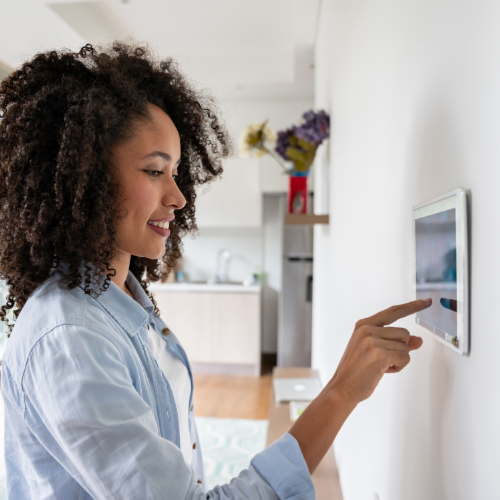
Intelligent Living Made Effortless
Connect and control your smart home devices with a reliable network that responds as quickly as you do, creating a seamless and smart living experience.

Serving Our Community for 30+ Years: Experience You Can Trust
With over 30 years of serving our community, Softcom Internet is committed to meeting the needs of our customers with fast, reliable internet service and great customer support. Don’t just take our word for it, here’s what our satisfied customers have to say.

Experience Unmatched Connectivity:
Your Ideal Softcom Plan is Just a Click Away!




Need help? Call our Technical Support Desk at (800) 982-7675 (Opt. 1)
Technical Support Hours:
Monday-Friday: 9am – 7pm
Saturday: 12pm – 6pm
Sunday: 12pm – 6pm